
News

What Can the BT500 Do to Help You Test Your Car Battery
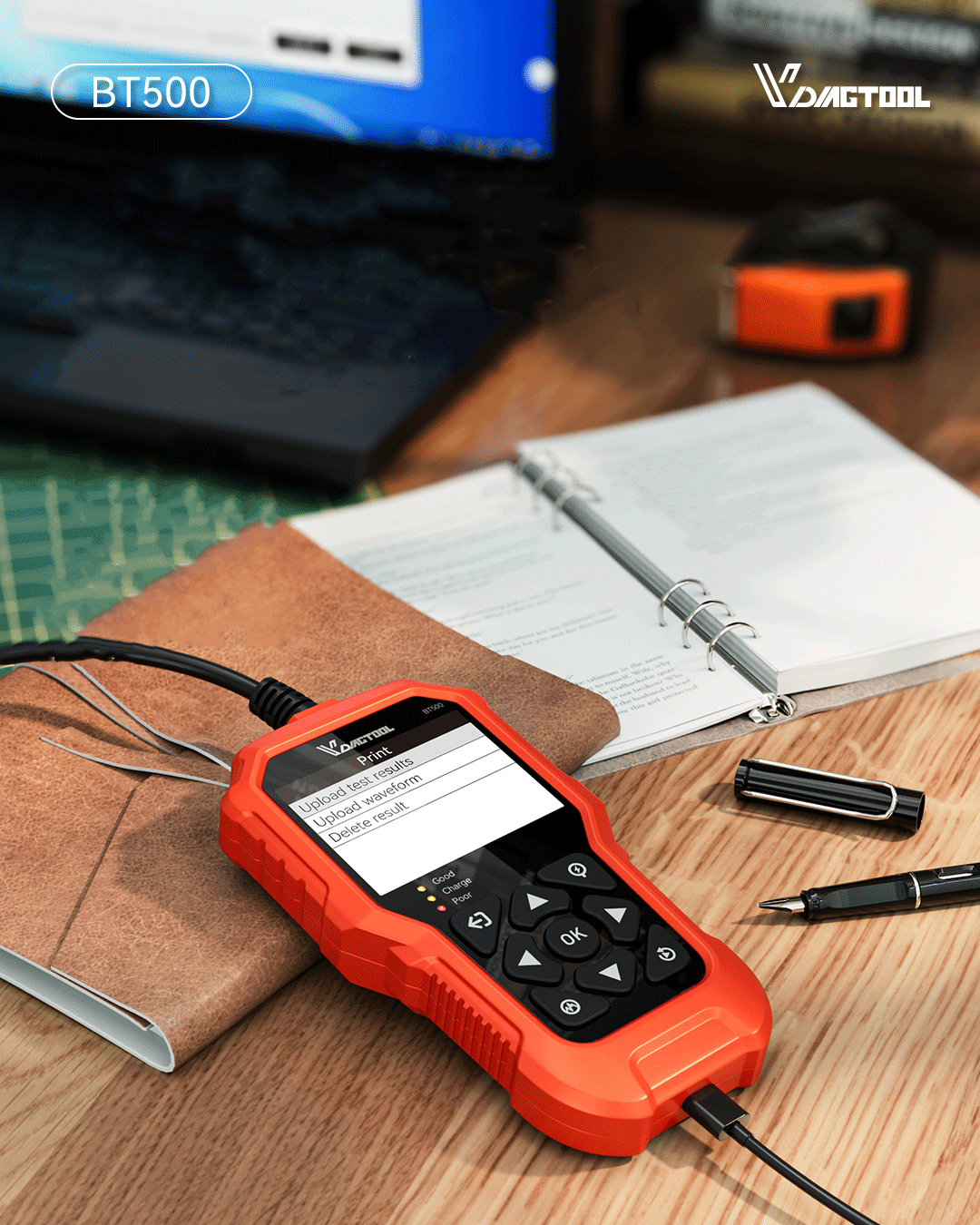
If your car struggles to start or the headlights appear unusually dim, it may be a sign that your battery needs attention. The car battery is a vital part of your vehicle, supplying the power needed to start the engine and operate all electrical systems. Over time, batteries can lose their ability to hold a charge, which can result in unexpected breakdowns. Learning how to test your car battery at home can save you money on repairs and prevent the frustration of being stranded. Introduction: Why Testing Your Car Battery Matters Your car’s battery is the heart of its electrical system, providing the power needed to start the engine and support all electronic components. When the battery weakens, even simple actions like turning on the headlights or starting the car can become difficult. Regular testing ensures your vehicle runs smoothly and safely every day. Ensures Reliable Starting Power A weak battery is one of the most common reasons a vehicle fails to start. By testing your battery regularly, you can identify a drop in voltage or capacity before it leads to a no-start situation. This simple habit helps you avoid unexpected breakdowns and keeps your vehicle ready to go whenever you are. Prevents Sudden Breakdowns Battery problems often occur without warning — especially in cold weather or after long periods of inactivity. Testing your car battery allows you to detect early signs of aging or internal damage, preventing the inconvenience of being stranded on the road or needing emergency assistance. Saves Maintenance Costs Routine battery testing can help extend the lifespan of your battery by catching charging or discharging issues early. A properly maintained battery reduces strain on your alternator and starter motor, helping you avoid unnecessary replacements and repair costs over time. Supports Vehicle Electronics Modern cars rely on a stable power supply to run complex electronic systems such as navigation, sensors, and onboard computers. A weak battery can cause these systems to malfunction or deliver inaccurate readings. Regular testing ensures that your vehicle’s electronics operate efficiently and reliably. Improves Energy Efficiency A well-performing battery allows your vehicle’s charging system to work more efficiently, reducing the alternator’s workload and lowering fuel consumption. This not only helps you save on fuel costs but also contributes to a more environmentally friendly driving experience. Regular battery testing helps prevent unexpected breakdowns and costly repairs. To get accurate, fast, and detailed insights into your battery’s condition, a professional battery tester like the BT500 makes all the difference. The BT500 Battery Tester Reliable, Fast, and Accurate Diagnostics VDIAGTOOL BT500 is a must-have for anyone needing reliable, fast, and accurate battery diagnostics. It ensures safe and precise results with over 99.99% accuracy, featuring reverse polarity protection and over-temperature protection for added safety. Wide Compatibility It’s compatible with 6V, 12V, and 24V batteries, including flooded, AGM, GEL, and EFB types, and works across a wide range of vehicles. Easy to Use The tool offers plug-and-play functionality with a 2.8-inch TFT HD display and visual LED indicators for quick battery health assessment Comprehensive Testing Capabilities It also doubles as a starter and alternator tester, performing cranking and charging tests for complete electrical system analysis. User-Friendly and Accessible The BT500 supports 12 languages, making it accessible worldwide. Whether you’re a professional technician or a DIY enthusiast, it’s an essential tool for maintaining your vehicle’s battery and electrical system. Final Thoughts The VDIAGTOOL BT500 has proven to be an indispensable companion in any garage or toolbox, offering confidence through accurate insight into your car battery’s true condition. As you store the tester away, you do so knowing that you’re always prepared for future diagnostics with ease and precision. Whether it’s a routine inspection or a troubleshooting task, the BT500 stands ready to deliver reliable and precise battery testing—ensuring your vehicle performs at its best. 👉 Purchase Now: VDIAGTOOL Official Store. Have more questions about our car battery tools? Contact us at service@vdiagtool.com — our team is ready to assist you!
Apprendre encore plus
Updating the Software of your BT500 Battery Tester
Keeping your VDIAGTOOL BT500 Battery Tester up to date ensures you always have the latest features, bug fixes, and best performance. The update process is simple and only takes a few minutes with a Windows PC. In this guide, we’ll walk you through the steps to update your BT500 software easily and safely. This function allows you to update the software of the tool. Requirements: • VDIAGTOOL BT500 battery tester• Windows PC/laptop with USB ports• Included Type-C cable Important Notice: Before downloading the software update package, make sure to temporarily disable any firewall or antivirus software on your computer. After the download is complete, you may safely re-enable them. Download the Update Package • Visit our Techsupport official website: www.vdiagtool.com/support/downloads or reach out to us via service@vdiagtool.com or chat online with us.• Download the BT500 update package to your Windows computer.• Launch BT500.exe on your Windows computer. Update Steps Step 1: Press and hold down the "OK" key on the device while plugging the USB cable into the PC, until the green light is blinking. ⚠️ Important:First, press and hold the "OK" button on the device before connecting it to the computer. Step 2: Click "Update" to reset the memory and update the software to the newest. Step 3: When the software update is complete, you will hear a beep. Status Indicators • Yellow LED flashing → Updating in progress • Green LED on (3 sec) + 2 quick beeps → Update successful • Red LED + continuous 3-sec buzzer → Update failed Important Notes • Do not disconnect during update • Ensure stable power supply throughout the process Conclusion Updating the software of your BT500 Battery Tester ensures that you always have access to the latest features, improvements, and fixes. By following the steps outlined above—downloading the update package, entering update mode, and completing the process on your PC—you can keep your device running smoothly and reliably. If you encounter any issues during the update or have further questions, please don’t hesitate to contact our support team. We’re always here to help and make sure you get the best experience from your BT500.
Apprendre encore plus